Hobbyists
You want to make images for fun or for your projects without a monthly subscription or a credit counter.
Local Image Pipeline Kit · v1.0
A 14-page guide, setup scripts and a small Python CLI that connect ComfyUI, FLUX.1-schnell, SDXL and the Real-ESRGAN upscaler into a pipeline you build and run yourself. One prompt or a whole spreadsheet of them. No per-image fees, no cloud account: your prompts and images stay on your PC.
The models and ComfyUI are free and not included. The kit's download scripts fetch them from their official pages, show you each license first, and resume if interrupted.
Who it's for
If you have an NVIDIA graphics card and some patience with a terminal, this kit gets you from "nothing installed" to a working, scriptable image pipeline.
You want to make images for fun or for your projects without a monthly subscription or a credit counter.
You want to understand how the pieces fit: models, workflows, ComfyUI's local API, and the Python that drives it.
You need thumbnail backgrounds and B-roll stills. This is the setup Killis AI uses for its own YouTube thumbnails.
You use an AI coding agent and want it to generate images through an /image skill instead of you clicking around.
What you'll build
Each step works on its own, so you can stop at any point and still have something useful.
Install ComfyUI from its official source. Setup scripts for Windows and Linux create the kit's own Python environment, download FLUX.1-schnell, SDXL and Real-ESRGAN, and start ComfyUI (with a low-VRAM switch for 8 GB cards).
FLUX.1-schnell for fast 4-step images, or SDXL when you want negative prompts. 16:9, 9:16, 1:1, 4:3, 3:2 and 21:9 presets; the same seed gives the same image.
Real-ESRGAN turns a 1344×768 image into 5376×3072 through ComfyUI. One image or a whole folder.
Batch prompts from CSV, JSON or plain text; make thumbnails and split-screen layouts with your own photo and fonts; or call the Python bridge from your own code.
What's inside
Plain files you can read, change and keep. The scripts only talk to ComfyUI on your own machine.
guide/ · 14-page PDF guide + MarkdownHardware tiers, Windows and Linux install, model downloads with license notes, first image, Python bridge, batch, upscale, prompt craft, troubleshooting, responsible use, and the measured timings.QUICKSTART.pdf · one-page cardThe whole setup in eight steps, plus the handy options and the top fixes.scripts/imagekit.py · one CLIhealth, gen, batch, upscale, models, free, thumb, version.scripts/comfy_bridge.pyA small, dependency-free Python client for ComfyUI's local API that you can reuse in your own projects. Every image gets a sidecar with its prompt, model, seed and settings.batch_generate.py · upscale.py · health_check.py · thumbnail.pyBatch runner (CSV / JSON / TXT, with a log), 4× upscaler, health check, and a thumbnail maker with split-screen layouts.setup/ · Windows (PowerShell) + Linux (bash)Environment setup, official model downloads (asks first, shows licenses, resumes), and a ComfyUI starter with a -LowVram switch for 8 GB cards.workflows/ · 3 ComfyUI workflowsFLUX.1-schnell, SDXL and Real-ESRGAN, in ComfyUI's API format, so you can see exactly what runs.prompts/ · 60-prompt libraryWritten for B-roll, thumbnails, objects and vertical formats, plus sample CSV and JSON batch files.skill/image/SKILL.mdAn optional /image skill for AI coding agents that read SKILL.md files.samples/ · 8 images with recipesThe images on this page, each with the exact prompt, seed and settings to reproduce it.LICENSE · LICENSE-CONTENT.md · THIRD_PARTY_NOTICES.md · CHANGELOG.mdMIT for the code, the content license for the guide, prompts and samples, every third-party component with its license, and version history.Requirements
We'd rather you skip the kit than buy something your machine can't run.
| Graphics card | NVIDIA only. AMD and Mac aren't supported. |
|---|---|
| GPU memory (VRAM) | 12 GB tested. 8 GB should be workable with SDXL or ComfyUI's low-VRAM mode (the guide shows how), but we haven't tested 8 GB cards. |
| System memory | 16 GB minimum; 32 GB recommended for FLUX. |
| Disk space | About 25 GB free: the three model files are about 23 GB (FLUX.1-schnell fp8 ≈ 16 GB, SDXL base ≈ 6.5 GB, Real-ESRGAN ≈ 64 MB), plus ComfyUI and your images. An SSD loads models much faster. |
| Operating system | Windows 11 tested. Windows 10 should work, untested. Linux setup scripts are included; making images on Linux is untested. |
| Software | Python 3.10+ and ComfyUI (free; not included). |
| Skills | Comfortable copying commands into a terminal. Python knowledge helps if you want to change the scripts. |
Our test machine: Windows 11, NVIDIA RTX 5070 Ti Laptop GPU (12 GB), 32 GB RAM, ComfyUI 0.38.0. Wall-clock time from queueing a job to the saved PNG:
These are one machine's results from one test session, not a promise. Your speed will depend on your hardware and settings.
Sample images
Unedited outputs from the test machine. Each one ships with its exact recipe, so you can reproduce it: same model file + prompt + seed + settings = the same image (in our test, a repeat run was byte-identical). All images on this page are AI-generated.

FLUX.1-schnell fp8 · 4 steps · cfg 1 · euler/simple · 1344×768 · seed 4242“cinematic photograph of a lighthouse on a rocky coast at dawn, soft fog over the water, warm first light on the tower, long lens, muted teal and amber color grade, no text”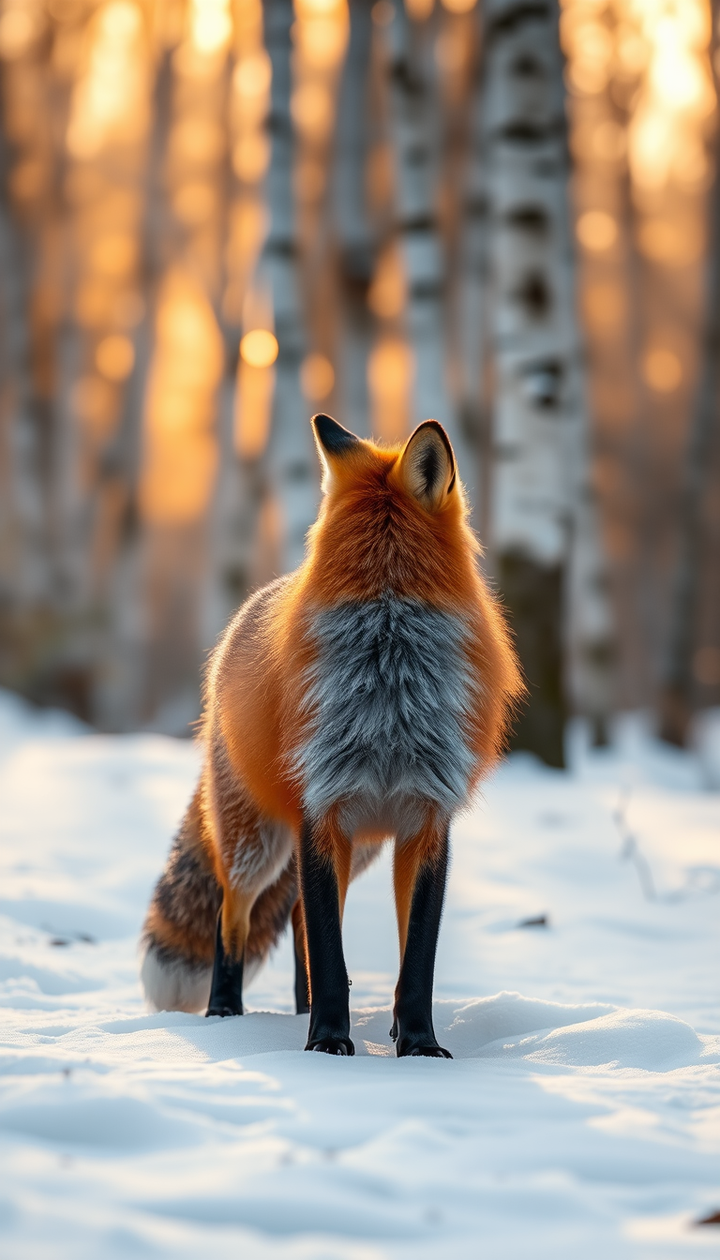
FLUX.1-schnell fp8 · 4 steps · cfg 1 · euler/simple · 768×1344 · seed 77“red fox standing in fresh snow in a birch forest, morning backlight, breath visible in the cold air, wildlife photograph, 300mm lens, no text”
FLUX.1-schnell fp8 · 4 steps · cfg 1 · euler/simple · 1024×1024 · seed 2026“isometric illustration of a tiny floating island with a glass greenhouse and a small waterfall, soft pastel colors, clean simple shapes, no text”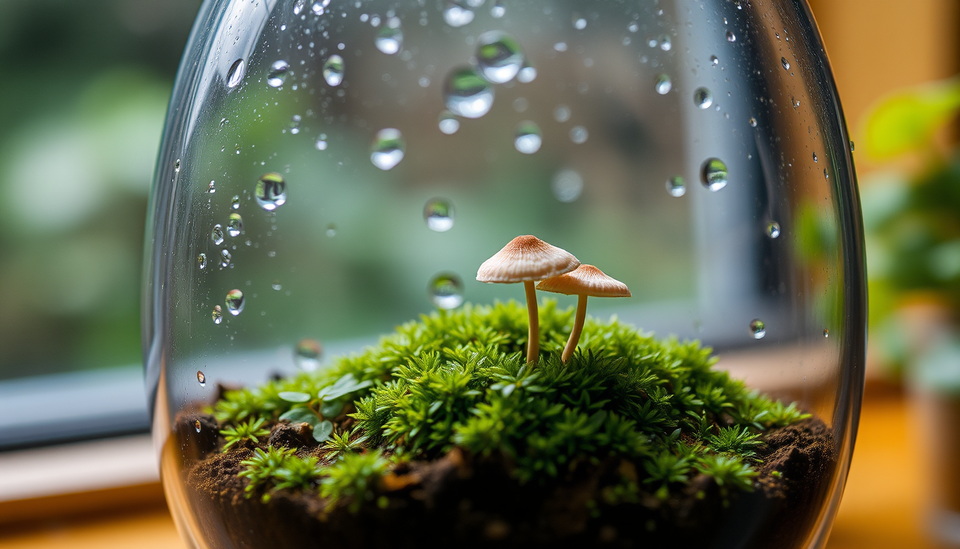
FLUX.1-schnell fp8 · 4 steps · cfg 1 · euler/simple · 1344×768 · seed 9“macro photograph of a glass terrarium with moss and a tiny mushroom, raindrops on the glass, soft window light, no text”
SDXL base 1.0 · 25 steps · cfg 7 · euler/normal · 1344×768 · seed 314“watercolor painting of a quiet harbor town at dusk, boats reflecting lantern light, loose brush strokes, paper texture” Negative: default (“blurry, low quality, watermark, text, logo, signature, deformed”).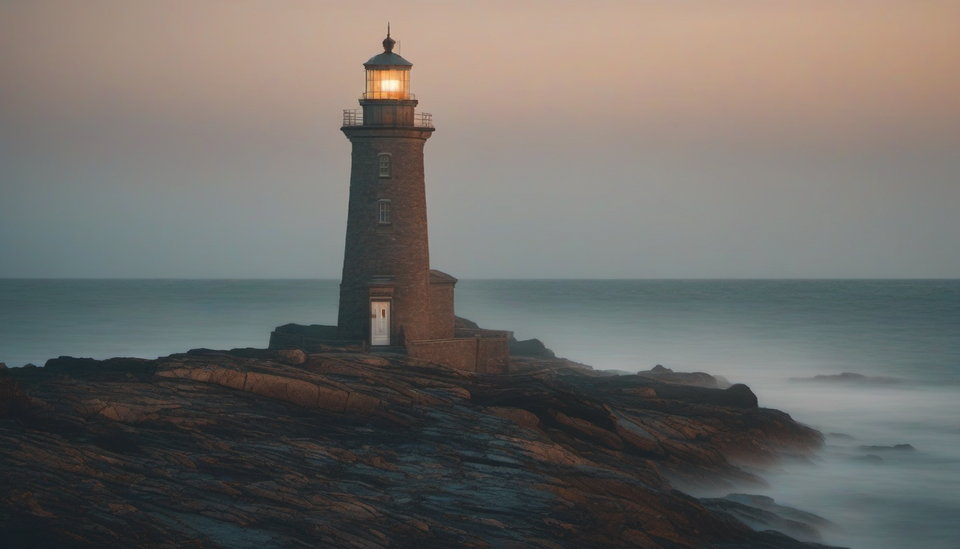
SDXL base 1.0 · 25 steps · cfg 7 · euler/normal · 1344×768 · seed 4242“cinematic photograph of a lighthouse on a rocky coast at dawn, soft fog over the water, warm first light on the tower, long lens, muted teal and amber color grade” Negative: default (“blurry, low quality, watermark, text, logo, signature, deformed”).Same prompt and seed as the first lighthouse (minus “no text”): compare how the two models read the same words.A detail from the first lighthouse, enlarged 4×. Left: ordinary bicubic resizing. Right: Real-ESRGAN x4plus through the kit, which took about 7 s for the whole 1344×768 → 5376×3072 image. Real-ESRGAN gives cleaner edges and less grain; it can also smooth away some fine texture.
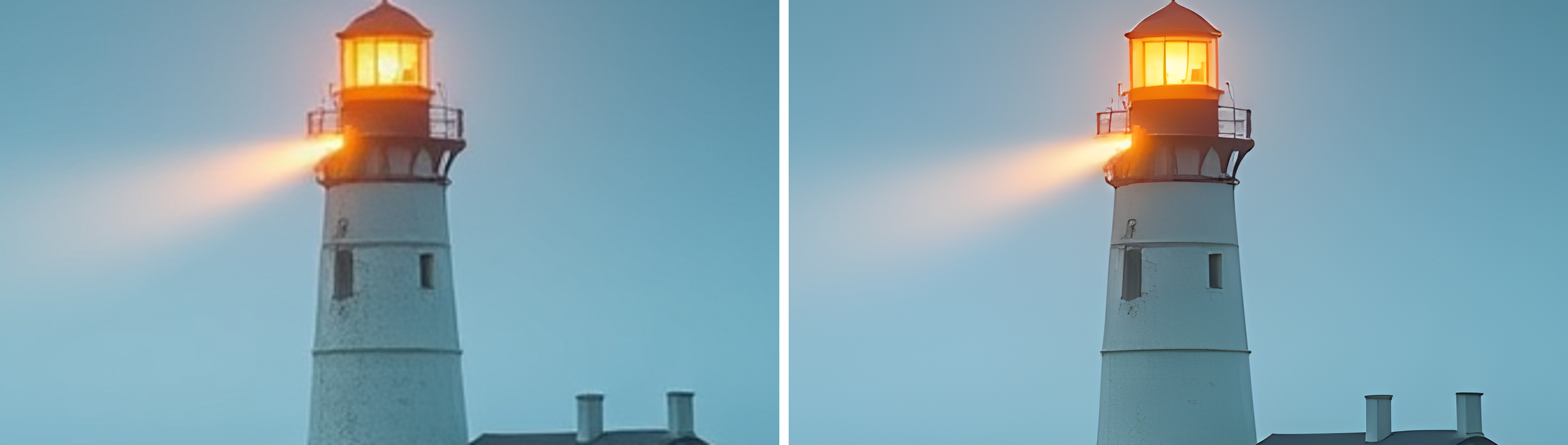

Real-ESRGAN x4plus · 4× · 1344×768 crop of the 5376×3072 resultThat crop is about a quarter of the width of the upscaled image. The full 5376×3072 file is larger than a 4K screen (3840×2160), from a source image that took seconds to make.
Price
$19one-time
MIT-licensed code · personal-use guide and prompts · free v1.x updates
imagekit CLI, Python bridge, batch runner, upscaler, health check, thumbnail maker/image agent skillRefunds: if it's not for you, ask within 14 days for a full refund. One refund per customer.
Checkout is handled by Lemon Squeezy, our merchant of record, which also handles sales tax/VAT. You'll get a receipt email with your download link.
FAQ
No. FLUX.1-schnell, SDXL base 1.0 and Real-ESRGAN are free downloads from their official pages, under their own licenses. The kit's download scripts (Windows and Linux) fetch them for you after showing each license, skip files you already have, and resume interrupted downloads.
It's tested on one NVIDIA card with 12 GB of VRAM (RTX 5070 Ti Laptop GPU). Cards with 12 GB or more should be fine. 8 GB should be workable with SDXL or the -LowVram switch, but we haven't tested it, so we can't promise it. If it doesn't work for you, ask within 14 days for a full refund. One refund per customer.
On our test laptop (RTX 5070 Ti Laptop GPU, 12 GB): about 8–14 s per FLUX.1-schnell image once the model is loaded, about 30 s for the first image including model load, about 21 s for SDXL at 25 steps, and about 7 s for a 4× upscale. That's one machine's results; yours will differ.
The kit is for Windows + NVIDIA. Windows 10 should work but is untested. Linux: the kit includes Linux setup scripts, which we tested, but making images on Linux is untested. AMD and Mac aren't supported. Support covers Windows + NVIDIA only.
The guide walks you through the official Windows portable build for NVIDIA, or a manual install on Linux. Our own tests ran on a standard (non-portable) install; the kit detects both layouts, but the portable build and the ComfyUI Desktop app haven't been tested by us yet.
No. You'll copy commands into a terminal and the setup script writes the settings file for you. If you know some Python, you can go further with the bridge and the examples.
Yes, within the model licenses: FLUX.1-schnell is Apache-2.0, and SDXL's CreativeML Open RAIL++-M license allows commercial use subject to its use restrictions. The kit's content license also lets you use any prompt from the library, and any image you make with it, in your own work, including commercial work. You're responsible for how you use outputs, and purely AI-generated images may not be protectable by copyright. This isn't legal advice; read the licenses in the kit.
Yes. The code (scripts, setup helpers, workflows, examples) is MIT-licensed. The guide, PDFs, prompt library and sample images are © Killis AI for your personal use: please don't resell, re-upload or share those.
No. The scripts talk to ComfyUI running on your own computer (127.0.0.1 by default). Nothing is sent to us or to a cloud service. Note that ComfyUI also keeps its own copy of each image in its output folder; the guide shows where.
No. You pay once. Fixes and new prompts in v1.x are free. A future v2 with new capabilities might be a separate, optional upgrade.
Ask within 14 days of purchase and you'll get a full refund, no questions asked. One refund per customer. A refund ends your license to the guide, prompts and samples, so please delete them.
Killis AI: one person, a squad of AI tools and a home PC, building and testing things on camera. The kit is the image setup used for the channel's own thumbnails and B-roll. Watch the experiments on YouTube.
Build it once, then use it for as many images as you like.